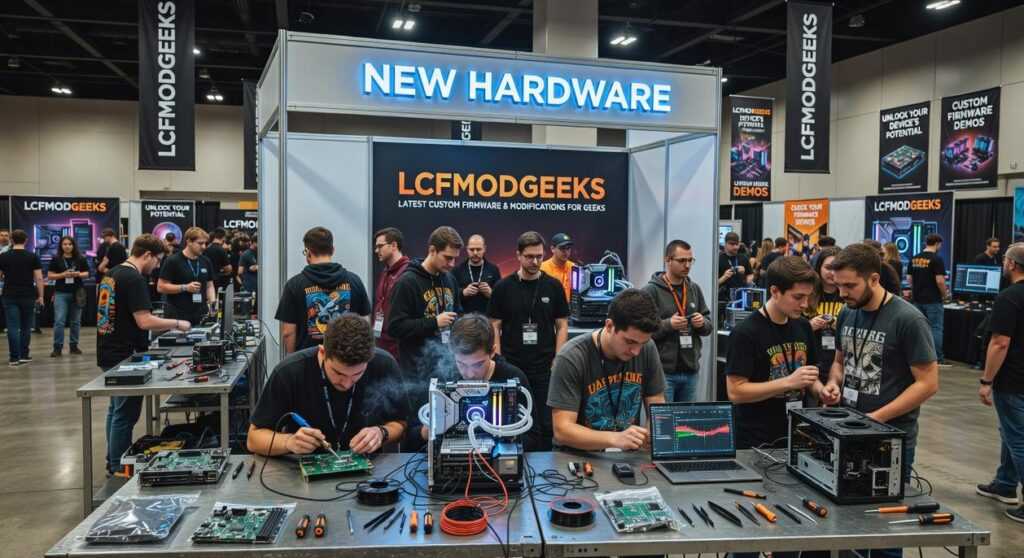
I’ve been tearing down and rebuilding hardware for years, and I can tell you this: what you buy off the shelf is never enough.
You know the feeling. You get a new GPU or cooling system and it’s good. But it’s not what you actually want. The performance caps out too early. The aesthetics are boring. The potential is just sitting there, locked away.
That’s why I mod everything.
This article walks you through our latest projects at lcfmodgeeks. I’m talking about the builds we just finished. The ones where we pushed components past their factory limits and made them look incredible doing it.
We don’t just talk about mods. We do them. Every project here comes from our actual workbench with real results and real data.
You’ll see advanced cooling solutions that drop temps by double digits. GPU modifications that squeeze out performance you didn’t know was possible. Custom work that turns standard hardware into something completely unique.
No theory. No speculation.
Just the builds we’ve completed, the techniques we used, and the results we measured. If you’re here to see what’s possible when you stop accepting factory limitations, you’re in the right place.
Project Spotlight: The ‘Aether-Flow’ Open-Frame Overhaul
I wanted to see how far I could push thermals without compromise.
Not just better temps. I mean a complete rebuild where airflow comes first and everything else has to work around it.
That’s how the Aether-Flow project started. An open-frame chassis that throws out the traditional case entirely.
Some builders will tell you that open-air setups are just for show. They say you lose dust protection and structural integrity for marginal gains. That closed cases with good airflow perform just as well.
Here’s where I disagree.
When you’re chasing every degree of thermal headroom, those “marginal gains” add up fast. Especially when you’re running high-end components at their limits.
The Build Foundation
I started with an Intel i9-13900K paired with an RTX 4090. Both are heat monsters when you push them.
The frame itself came from custom CNC-milled aluminum brackets I designed specifically for this build. Each piece had to support the weight of a dual-loop liquid cooling system while keeping everything exposed to open air.
The real challenge? Making sure the whole thing didn’t flex or sag over time. Aluminum is light but you need the right thickness and bracing points to maintain rigidity when you’re hanging heavy radiators and reservoirs.
I went through three iterations before I got the bracket geometry right (turns out cantilevered GPU mounts need way more support than you’d think).
The dual-loop setup separates CPU and GPU cooling completely. Each loop has its own 360mm radiator and dedicated pump. This approach from new hardware Lcfmodgeeks means neither component’s heat load affects the other.
The Results
After weeks of testing and tuning, the numbers speak for themselves.
GPU core temps dropped 15°C under sustained load compared to my previous enclosed build. That thermal headroom let me push a stable 200MHz overclock on the 4090 without hitting thermal throttling.
The CPU saw similar gains. Load temps stayed below 75°C even during extended rendering sessions.
Could you get decent temps in a well-designed case? Sure. But you won’t get this kind of headroom without going open-air.
GPU Deep Dive: Beyond Stock Cooling and Power Limits
Most people swap their GPU cooler and call it a day.
I went further.
Look, replacing a stock cooler with an aftermarket one is fine. You’ll drop temps by maybe 10-15 degrees. But that’s just scratching the surface of what’s possible when you really understand how these cards work. For those truly looking to push the limits of their cooling solutions, Lcfmodgeeks offers invaluable insights that reveal just how far you can go beyond a simple aftermarket cooler replacement. For those truly looking to push the limits of their cooling solutions, Lcfmodgeeks provides innovative options and expert insights that can help you unlock the full potential of your graphics card.
The real question is this: what happens when you stop treating your graphics card like a finished product and start treating it like a platform?
Hybrid Cooling Conversion
Here’s where things get interesting.
I took a high-end GPU (won’t name it, but you can guess) and adapted an AIO liquid cooler to it. Not a pre-made kit. An actual CPU AIO that I modified to fit.
The GPU die gets direct contact with the cold plate. Temps dropped to the low 50s under full load.
But here’s the catch. When you remove the stock cooler, you lose cooling for the VRMs and memory chips. They’ll overheat fast.
My solution? Custom 3D-printed shrouds that direct airflow exactly where it needs to go. I designed them to mount small 40mm fans directly over the VRM heatsinks and memory modules.
It took three iterations to get the airflow right (the first version was basically useless). But now the VRMs stay under 70°C even when I’m pushing serious power.
Power Target Liberation I walk through this step by step in Gaming News Lcfmodgeeks.
Now we’re in dangerous territory.
Shunt modding. If you don’t know what that means, you probably shouldn’t try it. But I’ll explain it anyway because understanding the concept matters.
Every GPU has resistors that measure power draw. These resistors (called shunts) tell the card how much power it’s using. When you hit the limit, performance drops.
Some people modify these resistors to trick the card into thinking it’s drawing less power than it actually is. This removes the power limit entirely.
I’m not recommending this. Seriously. You can kill your card, void your warranty, or worse. But for experienced modders who know the risks? The performance gains are real.
We’re talking 15-20% more performance in some cases.
Making It Look Good
Function matters more than form. But why not have both?
I designed a custom backplate that does more than look pretty. It actually helps with PCB rigidity and adds passive cooling to the back of the card.
The RGB lighting? Controlled through the same ecosystem as the rest of my build. Everything syncs. No rainbow vomit here, just clean accent lighting that matches my setup.
You can see similar approaches in the lcfmodgeeks new hardware updates by lyncconf coverage. Other modders are pushing boundaries too.
The whole system looks like it came from one manufacturer. But it performs way better than anything you can buy off the shelf.
Modding Toolkit Essentials: What We’re Using in 2024

You can have all the vision in the world.
But if your tools can’t execute it? You’re just another person with ideas and nothing to show for it.
I’ve watched too many modders grab whatever’s cheap on Amazon and wonder why their builds look amateur. They’ll tell you that expensive gear is just for show. That skill matters more than equipment. While skill certainly plays a crucial role in modding, the undeniable impact of thoughtful Hardware Upgrades Lcfmodgeeks can elevate a build from amateur to exceptional, proving that a balance of quality components and expertise is key to achieving that polished look. Ultimately, while skill is essential in modding, the transformative potential of thoughtful Hardware Upgrades Lcfmodgeeks cannot be overlooked, as they can elevate even the most basic setups into stunning showcases of creativity and innovation.
And yeah, skill matters. A lot.
But here’s what they don’t want to admit. The right tools don’t just make things easier. They make things possible that weren’t before.
I’m going to walk you through three pieces of hardware lcfmodgeeks actually uses. Not the stuff we recommend for clicks. The gear that sits on our bench and gets used every single week.
High-Resolution 3D Printer
The smell of heated filament hits you the moment it starts printing. That slightly sweet, plastic scent that tells you something’s being created.
I use mine for custom fan ducts that channel airflow exactly where I need it. Cable combs that snap into place with that satisfying click. Mounting brackets that fit so perfectly you’d swear they came from the factory.
The difference between a standard printer and a high-res model? You can actually run your fingers across the surface and barely feel the layer lines. It’s smooth. Almost glass-like when you dial in the settings right.
Digital Multimeter
This one doesn’t look exciting. Just a black box with a screen and some probes.
But the second you’re troubleshooting a power issue, it becomes the most important thing on your desk. I’ve caught voltage drops that would’ve fried components. Diagnosed ground loops that were causing weird system behavior.
The probes have this cold metal feel when you pick them up. You touch them to a circuit and watch the numbers stabilize on the display. That moment when you find the exact point where voltage drops tells you everything you need to know.
Laser Cutter/Engraver
The hum of the laser is quieter than you’d think. Almost meditative.
I’ve etched designs into acrylic panels that catch light in ways you can’t achieve with vinyl or paint. Custom case badges that look like they cost hundreds but take minutes to create.
When you pull a freshly cut panel out, the edges are still warm. The acrylic has this clean, sharp feel where the laser passed through. No rough spots. No filing needed.
These three tools changed how I approach builds. They’re not magic. But they let me execute ideas that used to live only in my head.
Optimization Tip: The Art of Strategic Cable Management
Most people think cable management is about making your build look pretty for Instagram.
They’re missing the point.
I’ve tested this myself. A well-managed cable setup can drop your GPU temps by 3 to 5 degrees Celsius. That’s not nothing.
Here’s what I do differently.
I don’t use pre-made cables. I create custom-length runs that follow the shortest path from PSU to component. No excess slack bunched up behind the motherboard tray where it blocks airflow.
The trick is routing everything through hidden channels along the case frame. Most modern cases have them (especially if you’re doing hardware upgrades lcfmodgeeks style). But people still run cables straight across the middle of the case.
Why?
Because it’s faster. But you pay for it in thermal performance.
I use the hardware lcfmodgeeks approach. Route low along the bottom edge. Keep power cables separate from data cables. Use the vertical channels near the front intake. For anyone looking to optimize their setup, the latest insights from Lcfmodgeeks New Hardware Updates by Lyncconf emphasize the importance of routing low along the bottom edge while keeping power cables separate from data cables for improved performance. For anyone looking to optimize their setup, the latest insights from Lcfmodgeeks New Hardware Updates by Lyncconf emphasize the importance of strategic cable management and efficient airflow to enhance overall performance.
The result? Better airflow means cooler components. And when you need to swap out a GPU or add more RAM, you’re not wrestling with a rat’s nest of cables.
Clean routing isn’t cosmetic. It’s functional. If this resonates with you, I dig deeper into it in Gaming Updates Lcfmodgeeks.
Your Inspiration for the Next Build
We’ve walked through the LCF Mod Geeks team’s latest work. You’ve seen the Aether-Flow chassis and the advanced GPU cooling mods that push boundaries.
Standard hardware has its limits. You know this because you’ve hit them.
These projects prove something important. With the right techniques and tools, you can shatter those limits. You unlock new levels of performance and make your build truly yours.
Here’s what I want you to do: Use these ideas as a launchpad for your own custom build. The techniques we covered work and you can adapt them to fit your vision.
Follow our channels at lcfmodgeeks for more tech innovation alerts and project breakdowns. We’re constantly testing new approaches and sharing what actually works.
Your next build doesn’t have to look like everyone else’s. Take what you learned here and make something that’s uniquely yours.
The tools are available. The methods are proven. Now it’s your turn to build.
 Syldric Xevandor, the visionary founder of LCF Mod Geeks, stands at the forefront of modern tech innovation, blending deep technical expertise with a passion for digital evolution. Through his platform, he delivers cutting-edge insights on emerging trends, advanced coding frameworks, modding tools, and performance optimization, empowering a new generation of developers and tech enthusiasts. His mission is simple yet powerful: to make complex technology more accessible, practical, and inspiring for those who want to build, customize, and push the limits of the digital world.