Everyone wants to make their Minecraft world unique, right? But let’s face it, the sheer number of Minecraft modding tools out there can be downright overwhelming. I get it.
You’re trying to find the right tool for your specific goal, whether you’re crafting a masterpiece, building epic structures, or dipping your toes into coding. It’s like sifting through noise (doesn’t) it make you want to throw your hands up?
Well, don’t. I’ve been deep in the modding community, breaking down complex tech into bite-sized pieces. I’m here to cut through that chaos.
This guide matches tools to tasks, so you can spend less time searching and more time creating. You’ll get a clear, actionable path to exactly what you need. Ready to dive in and start customizing your Minecraft world like a pro?
Let’s go.
Customization Tools: Unleash Your Creative Power
So, what are these tools? It’s not just about those big, flashy mods you hear about. Customization tools cover everything from skin editors and texture pack creators to world builders.
They let you mold your digital space like clay. Why use them? First, they let you express your creativity and personal style.
You can create a world that’s uniquely you. Second, they bring new adventures and challenges. Imagine crafting a custom quest for you and your friends.
And third, they’re your gateway to new skills like pixel art or 3D design. (Coding too, if you’re brave enough.)
Think of these tools like a digital LEGO set. Except here, you’re making your own bricks. Need a new sword design or a unique sky?
No problem. We’ll dive into visual, environmental, and functional tools in this article. Each type offers its own way to spice up your game.
Ready to start customizing? Check out customizing pc games modding apis for more on Minecraft modding tools. It’s a world of possibilities.
The Artist’s Canvas: Tools for Skins, Textures, and Visuals
Jumping into the world of Minecraft modding tools can feel like diving into a rabbit hole. But let’s keep it simple. If you want to change how the game looks, you’re in the right place.
For Quick & Easy Changes: Online Editors
Sometimes you don’t want to mess with complex software. online editors like The Skindex and MinecraftSkins.com come in. They’re browser-based, which means no downloads. You just hop on, pick a skin, and tweak it.
Easy, right? Plus, there’s a massive library of existing skins that you can edit. The downside?
You’re stuck with limited features. You won’t get anything too unique if everyone else has access to the same tools. But if speed is your goal, these sites are your best bet.
For Ultimate Control: Image Editing Software
Want complete creative freedom? You need image editing software. Programs like GIMP (which is free) or Aseprite (a paid, pixel-art-focused tool) let you do whatever you want.
You’re the artist here. Of course, this power comes with a challenge. These tools have a steeper learning curve, and they demand patience.
But the results? Professional. For those who want to create something truly unique, this is the way.
Pro Tip: Start with a base skin template. Here’s a quick guide to using these editors:
- Find the base skin or texture file online.
- Open it in your chosen editor.
3.
Edit pixel by pixel. This is where the magic happens.
- Save your masterpiece and upload it to the game.
For those ready to take the plunge, check out the creator section on the official Minecraft site. It’s a treasure trove of resources for anyone serious about modding. Whether you’re using online tools or diving into serious software, there’s a path for every creator.
The Architect’s Blueprint: Building and Sculpting Your World
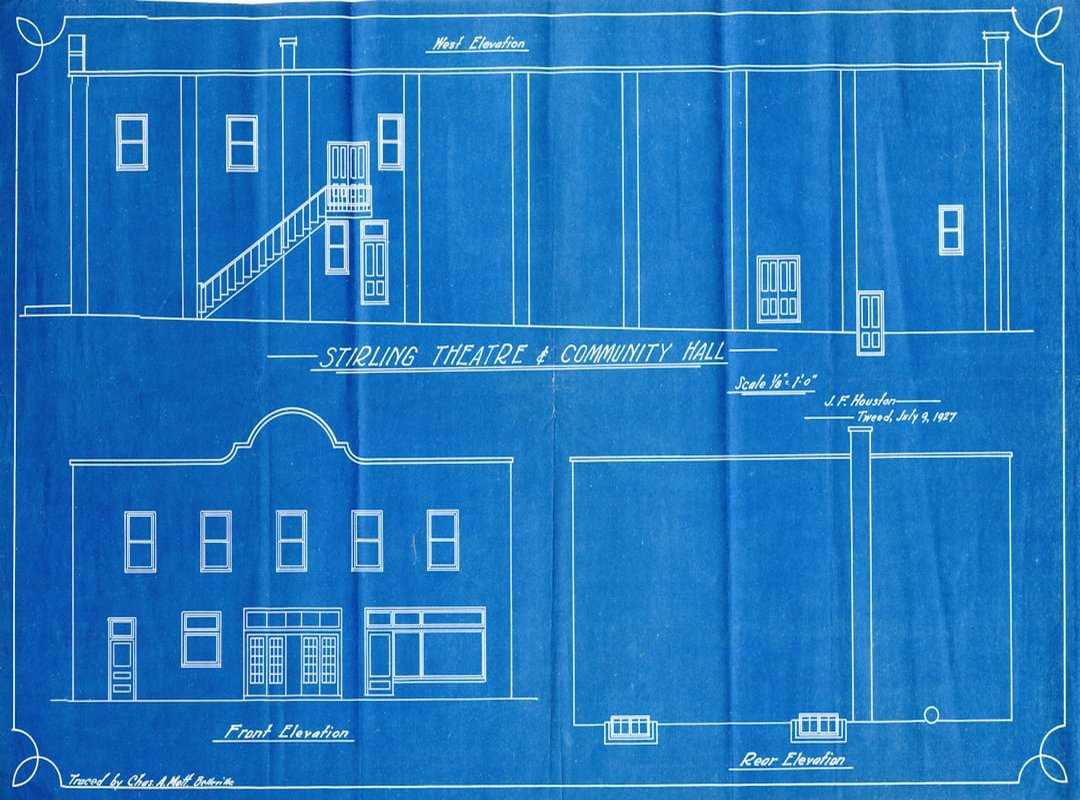
Are you the kind of player who dreams big in Minecraft? I’m talking skyscrapers, castles, entire cities. Minecraft modding tools can take those dreams and make them real.
Let’s dive into two game-changers.
For In-Game Superpowers: WorldEdit
Consider WorldEdit your magic wand in Minecraft. It’s a solid plugin that transforms building from a painstaking process to a swift execution. You don’t have to manually place thousands of blocks for your giant wall; a single command does the job.
Want a clean slate? Just //replace dirt grass and watch your space transform. Thinking of changing materials?
Use //set stone to turn dirt into cobblestone. Grab your //wand and you’re the master artist of your own digital world. WorldEdit isn’t just about saving time (though it does that brilliantly).
It’s about letting you focus on design without the grunt work, turning building nightmares into pixel-perfect dreams.
For God-Mode Terraforming: WorldPainter
Ever wanted to paint the very foundations of your Minecraft universe? Enter WorldPainter. Unlike WorldEdit, which modifies what’s already there, this tool lets you craft landscapes before they even exist in-game.
Imagine wielding a brush to raise mountains or carve out rivers. Is it art? I’d say absolutely.
You create entire continents, forests, and mesas without breaking a sweat. It’s like being a god with a canvas, deciding where each hill and valley lives, all before you press “start.”
For those who crave customization and depth, both tools offer unique paths. WorldEdit reshapes your existing area, while WorldPainter lets you birth new worlds from scratch. Curious about scripting mods for other games?
Check out this topic on how to script mods skyrim.
So, whether you’re wielding a wand or a digital brush, the power is in your hands. Time to sculpt your world!
The Coder’s Forge: Tools for Creating Your Own Mods
So you’re itching to make your mark on Minecraft. Who isn’t? The thrill of changing how the game works is magnetic.
But where do you start?
The Foundation: Minecraft Forge & Fabric
First up, let’s talk about Minecraft Forge and Fabric. These aren’t tools you craft mods with. They’re the backbone, the APIs or “frameworks” that mods depend on.
Choosing one is your first step if you’re serious about modding. These frameworks provide the necessary groundwork, much like building a house. You need a solid foundation before adding walls and a roof.
Does that sound a bit dry? Maybe, but trust me, starting here is key.
The Beginner-Friendly Mod Maker: MCreator
Enter MCreator. If coding in raw Java isn’t your thing, MCreator’s got your back. It’s a visual, block-based system that lets you design mods without diving headfirst into code.
Think of it like assembling a LEGO set (but for Minecraft). It’s not as flexible as pure code, sure. But it dramatically lowers the barrier to entry.
You don’t need to spend hours learning Java just to create a custom sword or a new mob.
Here’s a pro tip: MCreator is perfect for beginners. But if you get hooked, learning Java opens more doors. The trade-off here is flexibility versus ease of use.
And let’s be real, everyone likes the path of least resistance when starting out.
Minecraft modding tools, like these, are your gateway. Ready to tweak Minecraft to your liking? Dive in and let creativity run wild.
Who knows, maybe your mod will be the next big thing in gaming.
Unleash Your Minecraft Creativity
Getting lost in the maze of Minecraft modding tools? I get it. It feels like trying to find a needle in a haystack.
Here’s the bottom line: pick the tool that aligns with your vision. Whether you’re an artist, architect, or coder, there’s a tool out there screaming your name. Our guide breaks it down so you can stop sifting and start creating.
Ready to break free from analysis paralysis? Choose a tool that excites you. Dive into a small project this week.
You’ll be amazed at what you can create. Let’s make Minecraft your canvas.
 Suzette J. is a forward-thinking contributor at LCF Mod Geeks, known for her sharp eye on emerging digital trends and user-focused innovation. With a strong background in tech analysis and creative problem-solving, she transforms complex concepts into accessible insights that resonate with both beginners and experienced developers. Her work often bridges the gap between innovation and usability, helping readers stay ahead in an ever-evolving digital landscape.