
Remote work isn’t just a trend anymore—it’s a complete transformation of how businesses operate, collaborate, and scale. If you’re searching for clarity on remote work technology evolution, you’re likely trying to understand which tools, systems, and innovations actually matter—and which are just noise.
This article breaks down how remote work technology has progressed, from basic video conferencing and cloud storage to AI-powered collaboration platforms, automation frameworks, and performance optimization tools. More importantly, it explains what these changes mean for developers, digital teams, and forward-thinking organizations looking to stay competitive.
To ensure accuracy and relevance, we analyzed current digital infrastructure trends, reviewed leading collaboration platforms, and examined insights from technology researchers and industry reports. The goal is simple: give you a clear, practical understanding of where remote work tech stands today—and where it’s heading next—so you can adapt with confidence.
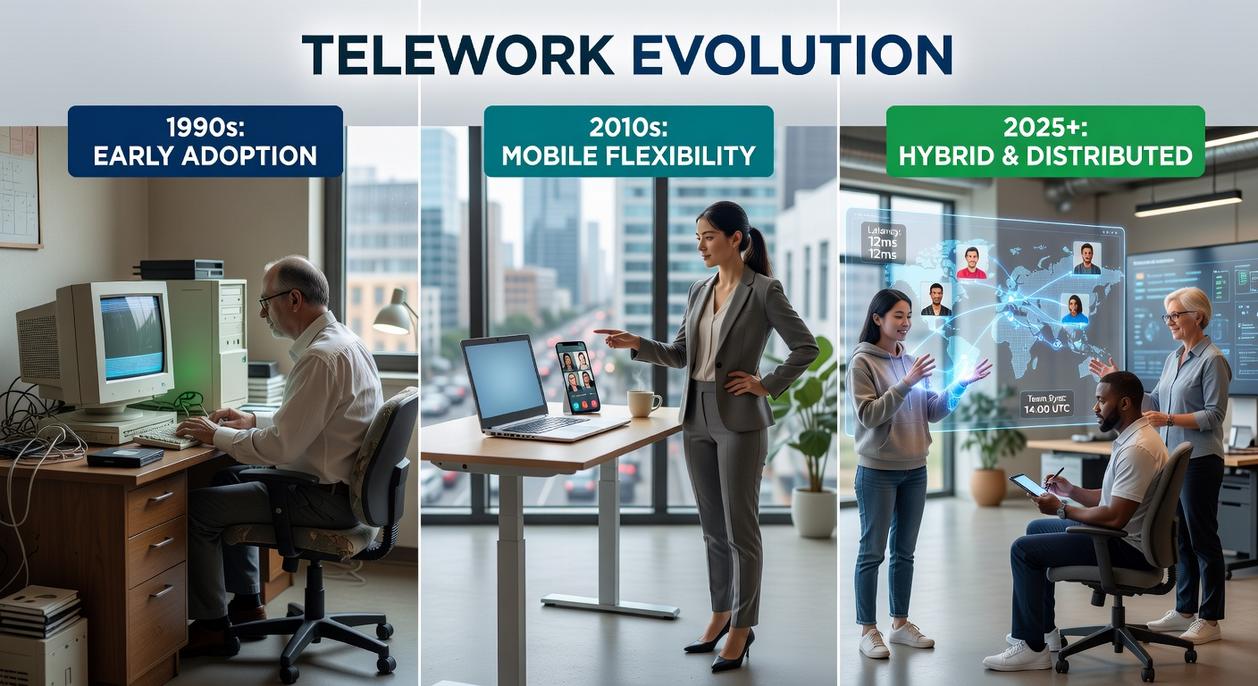
The traditional office is no longer the default. Instead, teams collaborate across time zones using a carefully built tech stack. Understanding the remote work technology evolution helps professionals choose tools that actually solve daily friction.
Start with the essentials:
- Asynchronous communication platforms like Slack or Teams reduce meeting overload.
- Cloud collaboration suites such as Google Workspace enable real-time editing.
- Zero-trust security frameworks protect data on any device.
However, some argue offices foster culture better. That can be true. Yet, when implemented thoughtfully, these tools create flexibility, accountability, and measurable productivity gains. Pro tip: audit tools quarterly for relevance and efficiency.
The Communication Stack: Beyond the Video Call
Modern teams rely on a layered communication stack—a set of tools designed for different types of interaction. The biggest confusion? Real-time vs. asynchronous communication.
Real-time (synchronous) tools like Slack or Microsoft Teams enable instant back-and-forth. Great for quick decisions (or the classic “Can you see my screen?” moment). Asynchronous platforms like Twist or Basecamp allow people to respond on their own schedule. This reduces interruptions and supports deep focus. Studies from Harvard Business Review note constant notifications can significantly reduce productivity (HBR, 2020). The balance matters: speed when necessary, space when possible.
Video conferencing has also matured. It’s no longer just pixelated faces on a grid. AI-powered noise cancellation filters out barking dogs, while automated transcription and summaries—like those from Otter.ai—turn meetings into searchable records. Interactive whiteboards recreate brainstorming sessions without the smudged markers.
Then there’s Unified Communications as a Service (UCaaS)—cloud-based platforms that combine voice, video, messaging, and file sharing into one ecosystem. Instead of juggling five apps, everything lives in a unified hub (goodbye, app-switching fatigue).
This shift reflects remote work technology evolution: smarter tools, fewer silos, and clearer workflows. Pro tip: audit your stack quarterly—overlapping tools quietly drain both budget and attention.
Cloud Collaboration and the Single Source of Truth
Cloud collaboration isn’t just convenient—it creates a single source of truth (a shared, authoritative version of information everyone relies on). Without it, teams waste hours asking, “Which file is the latest?” (and yes, we’ve all been there).
First, treat project management hubs like Asana, Monday.com, or Jira as your team’s central nervous system. These platforms map tasks, timelines, and dependencies so everyone sees how work connects. Some argue spreadsheets are enough. However, spreadsheets don’t dynamically track blockers or automate status updates. If you want clarity, choose one platform and commit to it. Pro tip: standardize naming conventions and workflows from day one to avoid messy dashboards later.
Next, prioritize real-time document editing through Google Workspace or Microsoft 365. Simultaneous collaboration eliminates version control chaos and preserves revision history (no more “Finalv7ReallyFinal”). During the remote work technology evolution, these suites became essential for distributed speed and accountability.
Finally, invest in digital whiteboarding tools like Miro or Mural. Visual collaboration recreates the creative spark of in-person sessions—think writers’ room energy, minus the coffee spills. Use them for sprint planning, strategy mapping, or retrospectives.
In short, pick integrated tools, enforce consistency, and make visibility non-negotiable. That’s how modern teams move fast—without breaking alignment.
Fortifying the Virtual Office: Security and Access
Remember when logging into the office meant firing up a VPN and hoping it didn’t crawl? That frustration is exactly why many teams are ditching traditional Virtual Private Networks for Zero Trust Network Access (ZTNA). Unlike VPNs, which grant broad network entry once you’re inside, ZTNA follows a never trust, always verify model—authenticating users and devices per session. It limits lateral movement, so one compromised login doesn’t expose the entire system (finally).
Identity and Access Management
Identity and Access Management (IAM) tools centralize who gets access to what, while multi-factor authentication (MFA)—requiring two or more verification methods—adds a critical extra lock. Yes, typing a code from your phone can feel annoying, but Verizon’s 2023 DBIR found 74% of breaches involve the human element, including stolen credentials. That extra step matters.
Endpoint Security
Here’s the overlooked headache: unsecured laptops and phones. Advanced endpoint protection monitors devices for malware, ransomware, and suspicious behavior outside the corporate firewall. As remote work technology evolution accelerates, endpoints have become the new perimeter.
If you’re tracking the top digital transformation trends shaping businesses in 2026, security isn’t optional—it’s foundational.
Pro tip: patch devices weekly to close gaps before attackers.
Performance Optimization for the Home Network
Let’s start with the basics: bandwidth (the amount of data your connection can handle at once) and latency (the delay between sending and receiving data). For remote work, low latency often matters more than raw speed—especially on video calls. Personally, I’ll take a stable 100 Mbps wired connection over “gigabit” Wi-Fi any day. Hardwired Ethernet reduces interference and packet loss (yes, cables still win).
That said, Quality of Service (QoS) settings on your router let you prioritize work apps over streaming or gaming traffic. Mesh Wi-Fi systems help eliminate dead zones in larger homes, though I think they’re overkill for small apartments.
Hardware matters too. Ergonomic chairs prevent strain, secondary monitors reduce task-switching fatigue, and noise-canceling headsets cut distractions (your back will thank you).
Finally, optimize your OS: disable startup bloat, clear browser cache, and use separate browser profiles for work. Small tweaks compound—just like remote work technology evolution has shown us.
The Next Frontier: Immersive and AI-Driven Workspaces
The future of remote work isn’t just Zoom fatigue with better lighting. It’s immersive VR meeting rooms like Meta’s Horizon Workrooms, where teams collaborate on virtual whiteboards and interact as digital avatars—think less grid view, more shared digital campus. This stage of remote work technology evolution unlocks deeper engagement, especially for distributed teams craving presence without relocation costs.
Skeptics argue VR is gimmicky or expensive. Fair point. But as hardware prices drop and adoption grows (much like smartphones did), the payoff becomes clear: richer brainstorming, faster alignment, and fewer “Can you see my screen?” moments.
AI-powered assistants add another layer of value. They:
- Automate scheduling
- Summarize meetings in seconds
- Proactively flag deadlines and task overlaps
That means less administrative drag and more strategic focus (the work humans actually enjoy).
At its core, success still depends on communication, collaboration, and airtight security. Get those right, and immersive tech plus AI doesn’t just support work—it amplifies performance from anywhere.
Stay Ahead of the Shift
You came here to understand how remote work technology evolution is reshaping the way we build, collaborate, and optimize digital environments. Now you have a clearer picture of the tools, frameworks, and innovation patterns driving this transformation.
The challenge isn’t just keeping up. It’s avoiding outdated systems, inefficient workflows, and missed opportunities while technology keeps accelerating. Falling behind means slower deployments, weaker security, and reduced competitive edge.
The good news? You don’t have to navigate it alone.
Stay plugged into the latest tech innovation alerts, explore cutting-edge coding frameworks, and leverage advanced modding and optimization strategies to keep your stack future-ready. Thousands of developers and digital builders rely on trusted insights to stay ahead of the curve.
Don’t let rapid change slow you down. Get the updates, apply the tools, and optimize your workflow today to stay ahead in the evolving remote-first world.
 Sidneyasen Russell is a dedicated tech writer and optimization specialist at LCF Mod Geeks, bringing precision and depth to every piece of content. With a focus on performance, coding frameworks, and practical implementation, he delivers actionable insights that empower developers to build smarter and faster. His analytical mindset and passion for efficiency make his contributions essential for readers looking to refine their skills and elevate their digital projects.