Modding a game should feel exciting—not like defusing a bomb made of broken load orders and corrupted saves. If you’ve ever installed dozens of mods manually, only to face crashes, conflicts, and endless troubleshooting, you know how quickly the chaos can ruin the experience. This guide cuts through that frustration by exploring the essential tools that turn modding into a smooth, stable process. We break down the best mod managers available today, explaining how each one handles load order optimization, conflict resolution, and large mod libraries. Backed by extensive hands-on testing across multiple titles, this guide helps you build a powerful, heavily modded game—without the technical headaches.
Why Manual Mod Installs Are a Recipe for Disaster
Back in 2019, large mod packs started ballooning past 200 plugins, and that’s when manual installs really began to collapse under their own weight. The core issue is technical: games load files sequentially, meaning load order—the sequence in which mods are read—directly affects stability. If two mods edit the same asset (say, a texture or script), the one loaded last wins. Get it wrong, and you’re staring at crashes or missing meshes (the dreaded invisible armor glitch).
Then there’s file overwriting. Manual installs often replace core game files outright. Once overwritten, uninstalling isn’t as simple as deleting a folder—you may need to verify the entire game cache, which can take hours. This is permanent damage masquerading as convenience.
A mod manager solves this by creating a non-destructive virtual file system. It isolates mods from the base game, tracks conflicts, and lets you reorder safely. That’s why the best mod managers aren’t optional anymore—they’re essential infrastructure.
The All-Rounder for Most Gamers: Vortex Mod Manager
For beginners and intermediate modders, Vortex Mod Manager often hits the sweet spot between power and simplicity. Built with direct Nexus Mods integration, it lets you download, install, and manage mods in just a few clicks (which, let’s be honest, beats dragging files around at 2 a.m.). That’s why it’s frequently listed among the best mod managers available today.
Automated Sorting with LOOT
One standout feature is its built-in LOOT (Load Order Optimisation Tool) integration. Load order refers to the sequence in which mods are loaded by a game—get it wrong, and you may face crashes or missing textures. Vortex automatically detects conflicts and suggests an optimized order, saving hours of manual tweaking.
Rule-Based Conflict Resolution
Some argue Vortex lacks the granular control of advanced tools. That’s fair. However, its rule-based system—where you set simple “load before” or “load after” instructions—makes troubleshooting intuitive without overwhelming newer users.
Pros:
- Easy to learn
- Seamless Nexus Mods integration
- Extension support
Cons:
- Less granular control
- File handling can feel less transparent
While power users may prefer deeper customization, most gamers will appreciate Vortex’s balanced, user-friendly approach.
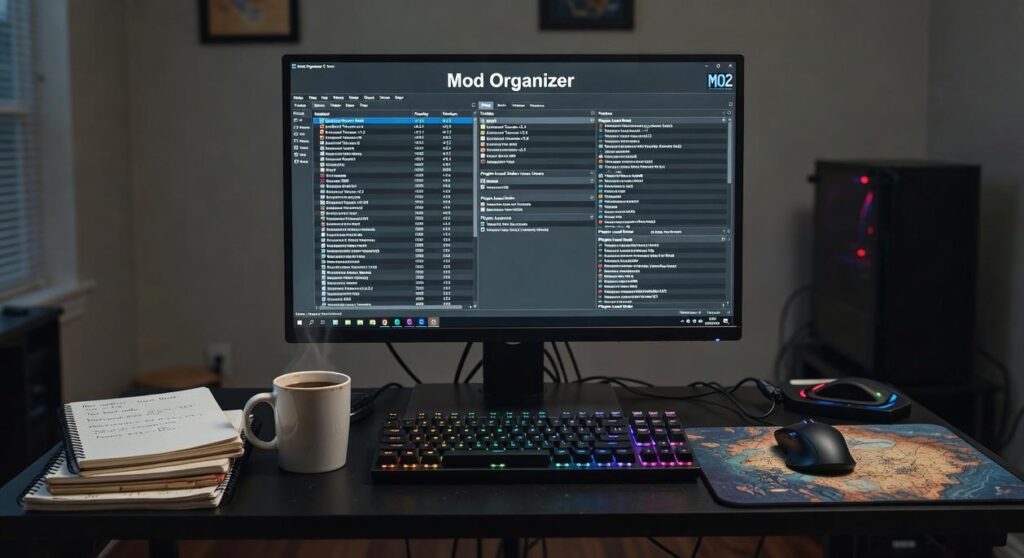
For Ultimate Control & Stability: Mod Organizer 2 (MO2)

If you’ve ever watched your game implode after installing “just one more mod,” you already understand the pain. Random crashes. Missing textures. That sinking feeling when your install folder turns into a digital junk drawer. MO2 was built for people who are done with that chaos.
At its core is the Virtual File System (VFS)—a system that creates a simulated game directory. In simple terms, MO2 never touches your real game folder. Instead, it builds a virtual version that loads mods without permanently altering anything. Your base game stays completely vanilla (finally, some peace of mind).
Because of this, you can install or uninstall mods instantly. No leftover files. No ghost scripts. You can also create isolated profiles for different playthroughs—say, a hardcore survival setup and a cinematic mod build—without conflicts bleeding between them. Even better, conflicting files are clearly identified, making troubleshooting far less of a guessing game.
Now, some argue MO2 is intimidating compared to other best mod managers. Fair point. The learning curve is steeper, and the interface can feel overwhelming at first. However, that complexity is precisely what gives you unparalleled control, a clean directory, and powerful diagnostic tools.
If you’re serious about mastering mod ecosystems—or diving deeper into understanding game asset editing for custom content creation—MO2 is the gold standard.
Specialized Tools for Specific Gaming Ecosystems
The first time I tried installing a 200‑mod Minecraft pack manually, I broke everything. Wrong Java version, mismatched Forge build, and a crash log that looked like The Matrix. That’s when I learned why specialized tools exist.
For Minecraft (Java Edition), launchers like CurseForge App or MultiMC aren’t optional—they’re survival gear. They manage modpacks, APIs like Forge or Fabric (frameworks that let mods hook into the game’s code), and even separate Java instances so one profile doesn’t nuke another. Pro tip: always match the mod’s required Java version before launching.
The Steam Workshop is the opposite experience: click Subscribe, and you’re done. It’s convenient, built-in, and perfect for light modding. But there’s a catch. No advanced load order control (the sequence mods load in) and minimal conflict resolution. Once you stack too many mods, things get messy.
Then there are engine-specific tools:
- Frosty Mod Manager for Frostbite games
- Dedicated launchers for niche ecosystems
Some titles simply demand their own solution—even the best mod managers can’t cover everything.
Your Checklist: Non-Negotiable Mod Manager Features
Choosing among the best mod managers without a checklist is like installing 200 Skyrim mods and hoping NOTHING breaks (bold strategy). Here’s what matters.
Profile Management: Save separate mod setups—think “Vanilla+” vs. “Total Chaos.” A profile means a stored configuration you can switch instantly.
Conflict Detection: When two mods edit the same file (say, a dragon’s stats), the tool should flag it before your game implodes.
Load Order Sorting: Load order is the sequence mods run in; wrong order equals glitches galore.
Non-Destructive Installation: Mods remove cleanly, leaving your base game untouched. Pro tip: Always test changes on a fresh profile first.
Build a Better Game, Not a Bigger Headache
You came here to find the best tools for managing your game mods—and now you know exactly which top-tier options can keep your setup running smoothly. Modding should expand your world, not trap you in endless error messages and load-order chaos. The real frustration isn’t installing mods—it’s fixing what breaks afterward.
That’s why dedicated managers like Vortex and MO2 matter. They automate the complex parts, reduce conflicts, and give you control without the stress.
Don’t waste another session troubleshooting. Pick the tool that fits your skill level, install it today, and start building the stable, fully modded game experience you’ve been aiming for.
 Syldric Xevandor, the visionary founder of LCF Mod Geeks, stands at the forefront of modern tech innovation, blending deep technical expertise with a passion for digital evolution. Through his platform, he delivers cutting-edge insights on emerging trends, advanced coding frameworks, modding tools, and performance optimization, empowering a new generation of developers and tech enthusiasts. His mission is simple yet powerful: to make complex technology more accessible, practical, and inspiring for those who want to build, customize, and push the limits of the digital world.